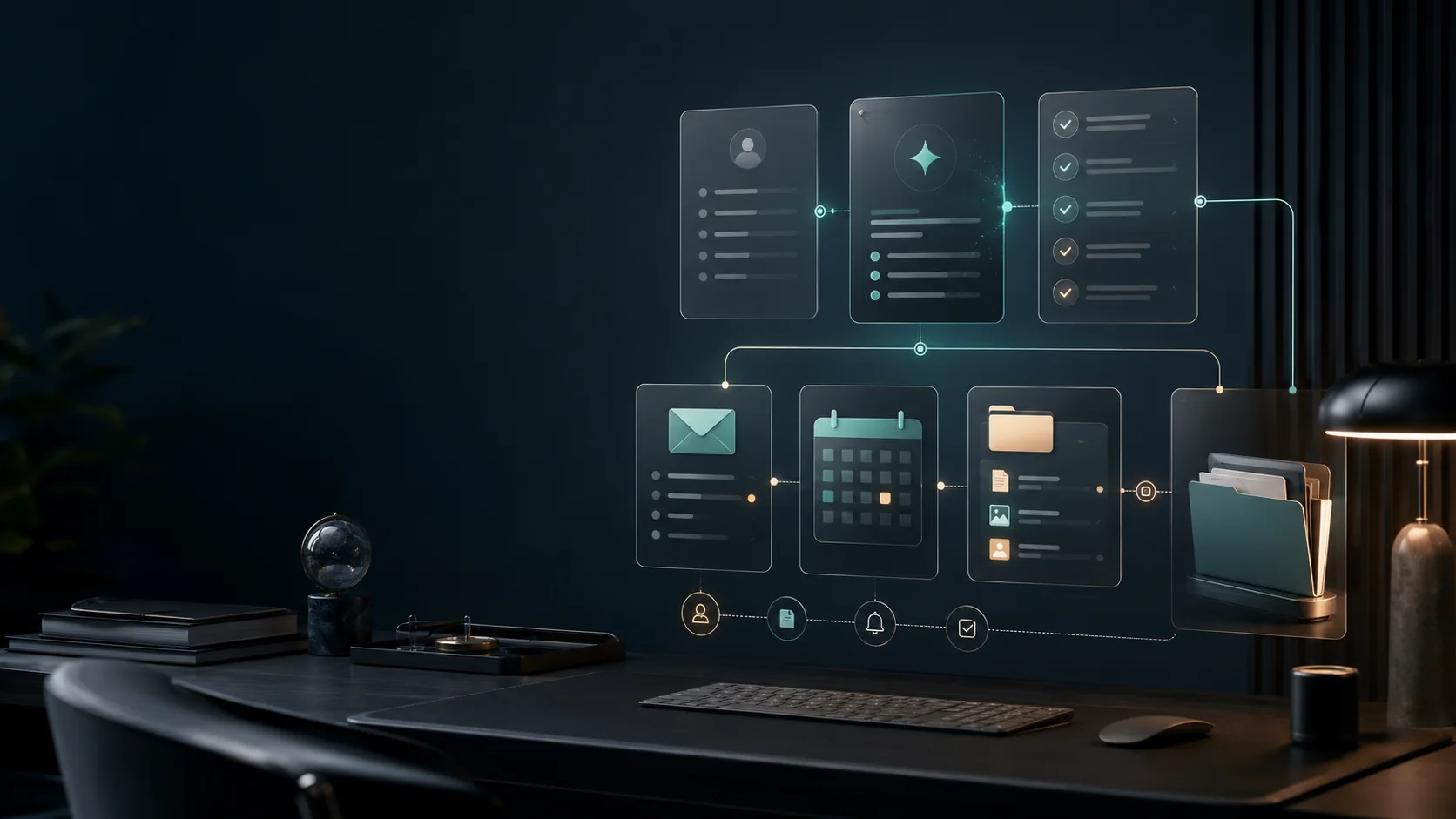
Client onboarding is not just a welcome email. It is the handoff between “someone bought from us” and “the team knows exactly what to do next.” If the sale started with a custom proposal, the accepted scope from your AI proposal automation workflow should become the first onboarding source of truth.
That handoff often fails for simple reasons: the intake form is too vague, the client sends files in different places, the project owner has to rewrite the same brief by hand, and the kickoff call starts before missing details are collected. AI client onboarding automation works best when it solves those boring operational problems.
This guide shows a practical version you can build without turning the process into a complicated machine. The language is simple, but the system is serious: collect better inputs, turn them into a useful brief, create the first tasks, send the right email, and keep risky decisions under human review.
The quick version
If you only have one hour, build this first:
| Part | Simple setup | Why it matters |
|---|---|---|
| Intake | One form with required questions | Prevents missing goals, deadlines, files, and decision makers |
| AI brief | One prompt that summarizes the form | Gives the project owner a clean starting point |
| Checklist | One reusable kickoff task list | Makes every new client start the same way |
| Welcome email | One reviewed email draft | Confirms next steps without writing from scratch |
| Exception queue | One place for risky or unclear answers | Stops automation from making business decisions |
That is enough for a first version. Do not automate invoices, legal terms, access permissions, and delivery promises until the basic flow is stable.
The workflow map
| Step | Tool type | AI role | Human review |
|---|---|---|---|
| Intake form | Form or booking tool | Classify the project type and extract key constraints | Check unusual answers before work starts |
| Client brief | AI assistant or workspace AI | Summarize goals, stakeholders, deliverables, risks, and missing details | Confirm scope, fees, and deadlines |
| Project hub | Workspace or project tool | Create a standard onboarding page or task list | Adjust tasks for the actual engagement |
| Welcome email | Email automation | Draft a short next-step email from the brief | Approve any promises or sensitive wording |
| Kickoff scheduling | Calendar tool | Add context to the invite and reminder | Confirm availability and meeting purpose |
| Follow-up checklist | Task system | Convert notes into first-week tasks | Assign owners and remove irrelevant tasks |
This is the same reason a compact workflow system is usually more useful than buying every new AI app. Each tool should own one job in the handoff, just like a focused AI lead follow-up automation flow should own inquiry response before the client is ready to start.
What your intake form should ask
Most onboarding automation fails because the input is weak. If the form asks vague questions, AI will create a vague summary. The form should collect decisions, constraints, and missing materials.
| Field | Ask this | Why it matters |
|---|---|---|
| Business goal | ”What result should this project create?” | Keeps the brief tied to the client’s real outcome |
| Primary contact | ”Who approves work and who receives updates?” | Prevents approval confusion later |
| Timeline | ”Is there a launch date, event, or deadline?” | Helps flag unrealistic schedules |
| Scope boundary | ”What is included, and what is not included?” | Reduces scope creep before kickoff |
| Existing assets | ”Upload or link brand files, docs, access notes, and examples.” | Prevents the team from hunting for files |
| Decision process | ”How many review rounds or approvers are involved?” | Helps plan feedback time |
| Risk notes | ”Anything we should avoid, protect, or handle carefully?” | Surfaces compliance, brand, or access concerns |
| Success measure | ”How will you know this project worked?” | Gives the team a simple success target |
Use required fields only when the answer is truly needed before kickoff. Too many required fields can make clients abandon the form or type weak answers just to move forward.
The AI brief template
The AI step should not be creative. It should be strict. Give it a fixed output format so every client brief looks the same.
You are helping our team prepare a client onboarding brief.

Use only the intake answers below. Do not invent facts, dates, prices, scope, or promises.

Return the brief in this format:

1. Client goal
2. Project type
3. Key deliverables mentioned by the client
4. Timeline or deadline
5. Stakeholders and approvers
6. Assets or access still missing
7. Risks, unclear points, or contradictions
8. Three questions to confirm before kickoff
9. Suggested first-week task checklist
10. Draft welcome email, under 120 words

Tone: clear, calm, and practical.
If information is missing, write "Not provided" instead of guessing.
The most important line is “Do not invent.” It protects you from one of the biggest AI onboarding mistakes: a polished summary that quietly adds details the client never gave.
A complete starter automation
Here is a practical first build for freelancers, consultants, and small agencies.
- Client submits the intake form.
- Automation stores the raw response in a database, spreadsheet, CRM, or workspace page.
- Automation sends the response to an AI step using the brief template above.
- AI returns a structured client brief.
- Automation creates a project page with the raw response, AI brief, and kickoff checklist.
- Automation creates tasks for missing files, access requests, kickoff prep, and first deliverables.
- Automation drafts a welcome email but does not send it automatically if the client is new, high-value, or high-risk.
- Automation posts a short summary to the project owner.
- Project owner reviews the exception queue and approves the welcome email.
- The kickoff meeting happens with the brief and missing questions already prepared.
For most small teams, the automation platform is the routing layer. The important decision is not which tool sounds most advanced. It is which tool can reliably move the client brief, checklist, email draft, and review task without creating a system nobody maintains.
The checklist every project should create
A useful onboarding checklist is short enough to finish, but complete enough to prevent confusion.
Use this as a starting point:
| Task | Owner | Done when |
|---|---|---|
| Review intake summary | Project owner | Goal, deadline, scope, and approvers are clear |
| Check missing assets | Operations or assistant | Missing files are requested from the client |
| Confirm scope boundary | Project owner | Any mismatch is clarified before kickoff |
| Create project folder | Operations | Folder includes brief, raw intake, contract link, and assets |
| Prepare kickoff agenda | Project owner | Agenda includes goals, risks, timeline, and questions |
| Send welcome email | Project owner or account owner | Client receives next steps and meeting details |
| Add first-week tasks | Delivery team | Tasks are assigned with dates and owners |
The hidden benefit is consistency. Even if the team changes, the first week of a new client engagement starts from the same operating pattern.
Once the project is running, connect the same source-of-truth record to an AI client reporting workflow so progress updates are based on the original goal, current work, and open blockers.
The welcome email template
Keep the welcome email short. It should confirm the next step, not explain the entire project.
Subject: Next steps for your project kickoff

Hi [Client Name],

Thanks for sending the onboarding details. We have received your intake form and are preparing the project workspace.

Before the kickoff, we will review your goals, timeline, files, and any missing details. If we need anything else, we will send a short request before the meeting.

Next step: [Kickoff meeting date or scheduling link]

Best,
[Your Name]
If AI drafts the email, review anything related to pricing, dates, deliverables, refunds, legal language, or account access before sending.
Use a simple risk system
Automation needs a stoplight rule. Without it, every client looks the same to the system.
| Risk level | Example intake answer | Automation behavior |
|---|---|---|
| Green | Clear goal, normal deadline, required files attached | Create brief, checklist, and email draft |
| Yellow | Missing files, unclear approver, tight but possible timeline | Create brief and checklist, assign review task |
| Red | Legal/compliance concerns, unrealistic deadline, scope conflict, sensitive access | Stop before email send and notify owner |
The red category is where many businesses make mistakes. AI can highlight the issue, but it should not negotiate scope, accept a risky deadline, or promise an exception.
What to automate first
Do not start with a fully automated onboarding machine. Start with the repeated steps that create the most administrative drag.
Good first automations include:
- Converting intake form answers into a client brief
- Creating the same kickoff checklist for every new client
- Sending a reviewed welcome email after payment or contract completion
- Creating a shared project folder
- Asking for missing files before the kickoff call
- Notifying the project owner when a high-risk answer appears
If your onboarding starts with a kickoff call, reuse the task discipline from an AI meeting notes to tasks workflow: AI can organize decisions and checklists, but ownership and deadlines still need review.
What not to automate yet
Delay these until you trust the basic system:
- Automatic scope approval
- Automatic pricing changes
- Contract or refund language
- Access to sensitive client systems
- Final delivery date promises
- Client-specific strategy recommendations
- Anything that could create legal, financial, or security risk
This does not make the workflow weaker. It makes it easier to trust.
Common mistakes
The first mistake is automating a bad intake form. If your form does not ask for deadlines, files, approvers, and missing details, the automation will only make the bad process faster.
The second mistake is sending AI-written welcome emails without review. A friendly email can accidentally promise a timeline or deliverable that the team has not approved.
The third mistake is losing the raw source. Always keep the original intake response beside the AI summary. Summaries are useful, but they are not the source of truth.
The fourth mistake is making the brief too long. The project owner needs the important points, not a rewritten version of the entire form.
The fifth mistake is ignoring exceptions. The real value is not only speed. It is catching missing files, unclear scope, and risky requests before the kickoff call.
Metrics to track
You do not need complex analytics at the beginning. Track a few simple numbers:
| Metric | What it tells you |
|---|---|
| Time from intake to project page created | Whether the automation saves admin time |
| Missing information rate | Whether the form asks the right questions |
| Welcome email edit rate | Whether the AI draft is usable |
| Kickoff delay rate | Whether missing assets still block the process |
| Red-flag count | Whether the risk system is catching problems |
If the welcome email needs heavy editing every time, improve the brief prompt. If kickoff calls are still delayed, improve the intake form. If red flags never appear, your risk rules may be too weak.
When to upgrade the system
After the starter workflow works for 10 to 20 clients, add more automation carefully.
Useful upgrades include:
- Different checklists for different service types
- Client type tags, such as “new client,” “returning client,” or “rush project”
- Automatic reminders for missing files
- A client-facing status page
- A handoff note from sales to delivery
- A post-kickoff summary that turns meeting notes into tasks
Upgrade only when a repeated problem appears. A workflow that nobody maintains will stop being useful, even if it looks impressive.
SEO and monetization angle
This topic can monetize naturally because readers are already searching for a workflow, not just inspiration. The article can lead to form builders, AI assistants, project tools, and automation platforms without forcing a hard sell.
The content should stay useful even if tool pricing changes. That is why the core recommendation is a workflow pattern, not a fixed shopping list. Before buying any tool, check current pricing, app integrations, data controls, and export options directly from the vendor.
Sources checked
This guide was cross-checked against official product and automation pages, including Zapier’s AI user onboarding automation page, Zapier’s AI onboarding use case page, ChatGPT plan information, Notion AI product information, and Grammarly plan information. Product features and prices change often, so verify current details before purchase.
FAQ
Can AI fully handle client onboarding?
AI can summarize intake details, draft emails, create checklists, and flag missing information. It should not make pricing, legal, scope, access, refund, or deadline commitments without review.
What is the best first automation for client onboarding?
Start by turning an intake form into a structured client brief. That single step removes manual copy-paste work and gives every project a cleaner starting point.
Should freelancers use Zapier, Make, or n8n for this?
Use the tool that matches your maintenance style. Zapier is usually easier for non-technical workflows, Make is strong for visual scenario mapping, and n8n fits teams that want more control.
What should be included in a client onboarding form?
Ask for the project goal, timeline, budget range, stakeholders, approval process, required files, tool access, success measure, and anything that could block the kickoff.
Should the welcome email be sent automatically?
For low-risk repeat clients, maybe. For new clients, high-value clients, regulated work, unclear scope, or tight deadlines, create the email draft automatically but require approval before sending.