Quick answer
AI agent permission design should start with the narrowest useful workflow, not with every app the agent might someday need. Inventory each tool call, separate reading from drafting from sending or deleting, require approval for irreversible work, log every external action, and expand permissions only after observed runs prove the workflow is stable.
- Do not grant an AI agent app-level access when action-level permission is possible.
- Separate read, draft, create, update, send, export, delete, refund, and approval actions.
- Human approval should be tied to risk, not placed randomly at the end of a workflow.
- Every tool call that changes an external system needs a traceable log and a recovery path.
- Permission expansion should be staged, reviewed, and reversible.
- Best for
- Automation builders, operators, consultants, and technical teams connecting AI agents to business systems, APIs, documents, communication tools, and workflow platforms.
- Topic
- Automation
- Last checked
- Jun 13, 2026
Workflow snapshot
A practical map for turning this guide into an automation flow.
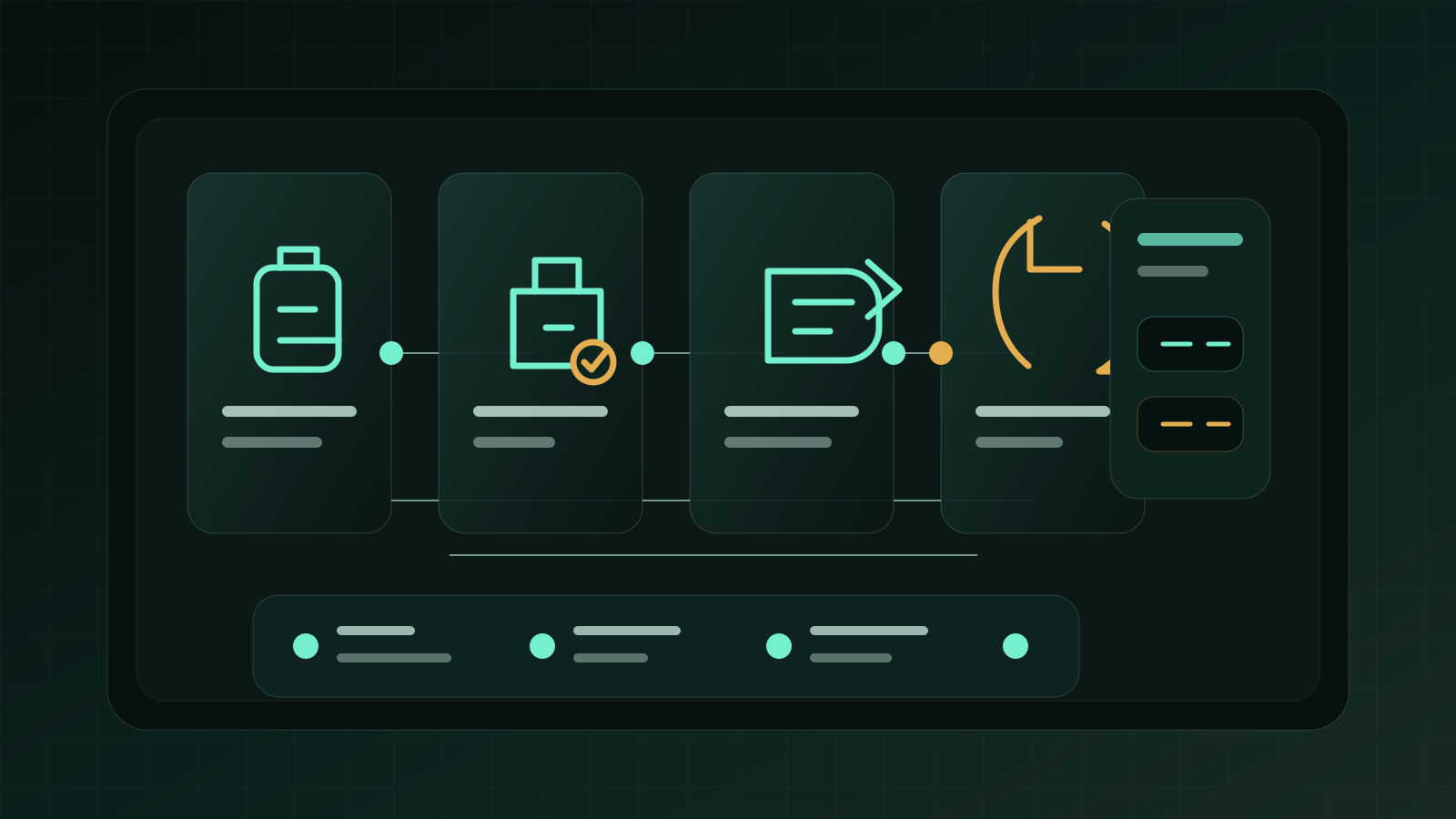
- 01 Input
Define the recurring job, required data, owner, and success check before adding automation.
- 02 AI pass
Use AI for drafting, sorting, summarizing, routing, or tool calls only where the workflow has clear boundaries.
- 03 Human check
Keep approvals, exceptions, cost limits, and sensitive decisions under human review.
- 04 Output
Turn the result into a checklist, saved prompt, SOP, or monitored automation run.
- AI agents
- AI automation
- permission design
- least privilege
- tool calls
Implementation notes
Use the guide as a workflow decision, not a tool shortcut.
Before you automate, confirm the work input, the human review point, and the result you will measure after launch.
Which step should become repeatable first?
Help automation teams decide exactly what an AI agent may read, draft, change, send, export, or delete before connecting it to real tools.
6 Sources checked
Check the linked source notes and product documentation before relying on claims that may change.
Open resources
Move from reading to one small pilot, then expand only after the review point is clear.
- Do not grant an AI agent app-level access when action-level permission is possible.
- Separate read, draft, create, update, send, export, delete, refund, and approval actions.
- Human approval should be tied to risk, not placed randomly at the end of a workflow.
- Every tool call that changes an external system needs a traceable log and a recovery path.
Workflow path
Where this guide fits
Use this section to connect the guide you are reading with the broader workflow it supports.
A path for comparing automation platforms, app builders, agent builders, bookkeeping tools, and general AI assistants.
Open workflow path- Best fit
- teams deciding whether to buy a simple tool, build an internal workflow, or adopt a broader platform
- Not ideal if
- The work does not yet have a repeatable trigger, owner, or input. Start by naming the process before automating it.
An AI agent becomes risky the moment it can touch real systems. Reading a policy document is one thing. Updating a CRM stage, sending an email, exporting customer data, approving a refund, or deleting a record is a different class of work.
The mistake is to ask, “Can the agent connect to this app?” The better question is, “Which exact action may the agent perform, with which data, under which approval rule, and how do we recover if it is wrong?”
This checklist is for automation workflows where an AI agent uses tools, APIs, documents, browser actions, or workflow platforms. It does not replace security review, but it gives operators a practical permission design pattern before the agent is allowed to act.
Quick Answer
Start with the narrowest useful workflow and write down every tool call the agent needs. Give read-only access first. Allow drafting before sending. Allow creation before updates. Treat export, delete, refund, payment, legal, customer notification, and permission changes as high-risk actions. Each high-risk action should pause for a named approver, preserve the input and output, write an audit record, and have a rollback or escalation path.
If you cannot explain who owns the permission, why it is needed, what the agent may not do, and how to revoke it, the permission is not ready.
Permission Is Workflow Design
The OpenAI Agents SDK documentation frames agents around models, tools, instructions, handoffs, guardrails, and state. That matters because permission is not just an OAuth screen. Permission is part of the workflow architecture.
The same idea appears from the risk side. OWASP’s agentic application guidance focuses on systems that can plan, act, use tools, and make decisions with more autonomy than a normal chatbot. The more an agent can do, the more its permissions must be explicit.
In practice, permission design has four layers:
| Layer | Question | Example |
|---|---|---|
| Data | What can the agent see? | Customer profile, invoice status, contract notes |
| Action | What can it do? | Search, draft, update, send, export, delete |
| Approval | When must it stop? | Before sending to a customer or changing money-related records |
| Recovery | What happens if it is wrong? | Revoke token, restore record, notify owner, replay logs |
Do not skip the recovery layer. It is the difference between a controlled automation and a mystery failure.
Build The Permission Inventory First
Before connecting the agent, make a permission inventory. It should be boring and specific. If a row sounds vague, the agent is not ready for production.
| Workflow step | Tool | Data touched | Agent action | Required permission | Identity | Owner |
|---|---|---|---|---|---|---|
| Read incoming request | Shared inbox | Message body, sender, thread history | Read and classify | Inbox read | Service account | Support lead |
| Create CRM note | CRM | Contact, company, deal note | Create note | Contact read, note create | Bot user | Revenue ops |
| Draft reply | Help desk | Ticket context, policy snippets | Draft only | Ticket read, draft write | Bot user | Support lead |
| Send reply | Help desk | Customer email | Send message | Send on approved ticket | Human-approved action | Support lead |
| Update workflow status | Project board | Task status, owner | Move task | Status update | Bot user | Operations |
This inventory prevents the common “connected app sprawl” problem. The agent does not need a whole app. It needs a small set of actions inside a workflow.
Use An Action Authority Matrix
The most useful permission model is action-based. It separates what the agent may do by default from what needs approval.
| Action type | Default stance | Approval needed | Log required | Rollback path |
|---|---|---|---|---|
| Search or read | Allow if scoped | Usually no | Yes for sensitive data | Revoke access if abused |
| Summarize | Allow | No | Store source IDs | Regenerate summary |
| Draft | Allow | No for internal drafts | Store prompt and source references | Discard draft |
| Create internal record | Conditional | Sometimes | Store before/after state | Archive or delete created record |
| Update external record | Restricted | Yes for customer, finance, legal, or compliance fields | Store field diff | Restore prior values |
| Send message | Restricted | Yes unless the use case is low-risk and templated | Store recipient, content, approver | Follow-up correction and incident note |
| Export data | Restricted | Yes | Store export scope and destination | Revoke link, rotate token, notify owner |
| Delete, refund, approve, sign | Block by default | Always | Full audit trail | Manual recovery plan |
The rule is simple: the more an action affects someone outside the workflow, the less autonomous it should be.
Approval Gates Should Be Early Enough To Matter
Approval at the very end is often too late. A good gate pauses the workflow before a costly action, while the context is still visible.
Use approval gates when:
- the agent will send a message outside the organization;
- the agent will change money, contract, account, legal, or customer-status data;
- the agent is about to use a permission for the first time;
- the output depends on uncertain source material;
- the workflow contains a complaint, security issue, refund request, legal term, cancellation, or account-change request;
- the agent wants to expand its own tool access or change another automation.
OpenAI’s Agents SDK human-in-the-loop pattern is useful here because the workflow can pause, request approval, and resume with a decision instead of pretending that every tool call is equally safe.
Scope OAuth And API Access Narrowly
OAuth scopes and API permissions are where many agent projects become too broad. “Give it access to Google Workspace” or “connect Microsoft Graph” is not a permission model. It is a risk model with no edges.
Use this review before approving a scope:
| Requested access | Narrower alternative | Keep only if |
|---|---|---|
| Read all files | Read selected folder or file picker output | The workflow needs broad search and has source logging |
| Send email as user | Create draft only | The workflow has approved templates and a send gate |
| Read/write all CRM records | Read contacts and create notes | The agent truly needs field updates |
| Export reports | Generate summary inside the tool | External export is required and destination is logged |
| Admin permissions | Separate human admin action | There is no safe agent use case |
Google’s OAuth scope documentation and Microsoft’s Graph permissions overview are helpful references because they show how broad delegated or application permissions can become. The checklist should force a narrower alternative before broad access is accepted.
Add Logging That Operators Can Actually Use
Audit logging is not a wall of raw tokens. It should let a person reconstruct what happened.
For every meaningful tool call, log:
run_idand workflow name;- user request or trigger source;
- agent instruction version;
- tool name and action type;
- input records or source IDs;
- output destination;
- before and after values for updates;
- approval request, approver, and timestamp;
- confidence or reason code when available;
- error, retry, fallback, or escalation state;
- rollback status.
If a customer complains, an invoice is wrong, or a record changes unexpectedly, this log should answer the first question: “What did the agent do, and why was it allowed?”
Expand Permissions In Stages
Do not start at autonomy. Start at observation.
| Stage | Allowed actions | Blocked actions | Evidence to expand |
|---|---|---|---|
| 1. Observe | Read, classify, summarize | Draft, send, update, export, delete | Correct classification in reviewed runs |
| 2. Draft | Create internal drafts and notes | External send, money, deletion | Low edit rate and clear source usage |
| 3. Approved action | Execute after human approval | Self-approval, scope changes | Approvals are predictable and logs are complete |
| 4. Bounded autonomy | Execute low-risk repeatable actions | High-risk fields, exports, destructive actions | Stable failure rate, rollback tested, owner assigned |
| 5. Expanded scope | Add one new action at a time | Broad admin access | New permission has a clear owner and review date |
This staged approach follows the spirit of the NIST AI Risk Management Framework: map the risk, measure behavior, manage controls, and keep governance visible.
Prepare Revocation And Recovery Before Launch
A permission plan is incomplete until you know how to turn it off.
Your break-glass checklist should answer:
- Which token, bot account, API key, workflow, or integration is disabled first?
- Who can pause the agent when the owner is unavailable?
- Which logs must be preserved before cleanup?
- Which external systems need a correction message?
- Which records need restoration from before/after logs?
- Which permission is removed permanently?
- What evidence is required before the agent is re-enabled?
Recovery is not pessimism. It is what makes automation acceptable in real operations.
Example: Customer Follow-Up Agent
Imagine an agent that reads inbound requests, checks CRM context, drafts a reply, creates a follow-up task, and eventually sends a message.
Do not give it full CRM and inbox access on day one.
Start with:
- inbox read for one queue;
- CRM read for matched contacts only;
- internal note creation;
- reply draft creation;
- no send permission;
- no field updates for deal value, status, refund, subscription, or owner;
- logs for every source and generated draft.
After reviewed runs show low edit rates, add a send gate. The agent can prepare the message, but a person approves it. Only later should you consider bounded autonomous sending for low-risk templates, and only if the workflow has unsubscribe, complaint, escalation, and correction handling.
FAQ
Should an AI agent use a human user’s account?
Usually no for durable workflows. A named bot or service account is easier to monitor, revoke, and limit. If user delegation is required, make the delegation visible and avoid broad scopes.
Is read-only access always safe?
No. Read-only access can still expose sensitive customer, financial, legal, or internal strategy data. It is safer than write access, but it still needs scope, logging, and a data handling rule.
When can an agent send messages without approval?
Only when the message is low-risk, templated, reversible, expected by the recipient, and monitored. Customer complaints, refunds, legal language, account changes, security issues, and pricing discussions should keep human approval.
What is the most common permission mistake?
Granting app-level permissions because it is faster than designing action-level permissions. That saves setup time and creates operating risk.
Next Step
If the workflow boundaries are still unclear, start with the AI workflow audit scorecard. If you are already choosing platforms and model routes, pair this checklist with the automation stack comparison before launch.
Sources checked
Main public pages used to verify product details, pricing context, and comparison claims in this guide.