Quick answer
AI agent automation ROI should be measured at workflow level, not model level. Start with one repeated process, record the current manual baseline, run a controlled pilot, count review labor and failure handling, and only move to production when the workflow has a clear owner, audit trail, rollback path, and metrics that keep improving after launch.
- ROI comes from a better operating workflow, not from adding an agent to an undefined process.
- The pilot must measure manual baseline, AI run cost, review effort, rework, cycle time, and exception rate.
- A workflow is not production-ready until ownership, logs, approvals, rollback, and monitoring are clear.
- Cost per run matters, but failure cost and review burden usually decide the real ROI.
- The best first projects are repeated, bounded, evidence-rich, and painful enough to justify maintenance.
- Best for
- Automation leaders, operators, consultants, and technical teams deciding which AI agent workflows deserve production deployment.
- Topic
- Automation
- Last checked
- Jun 13, 2026
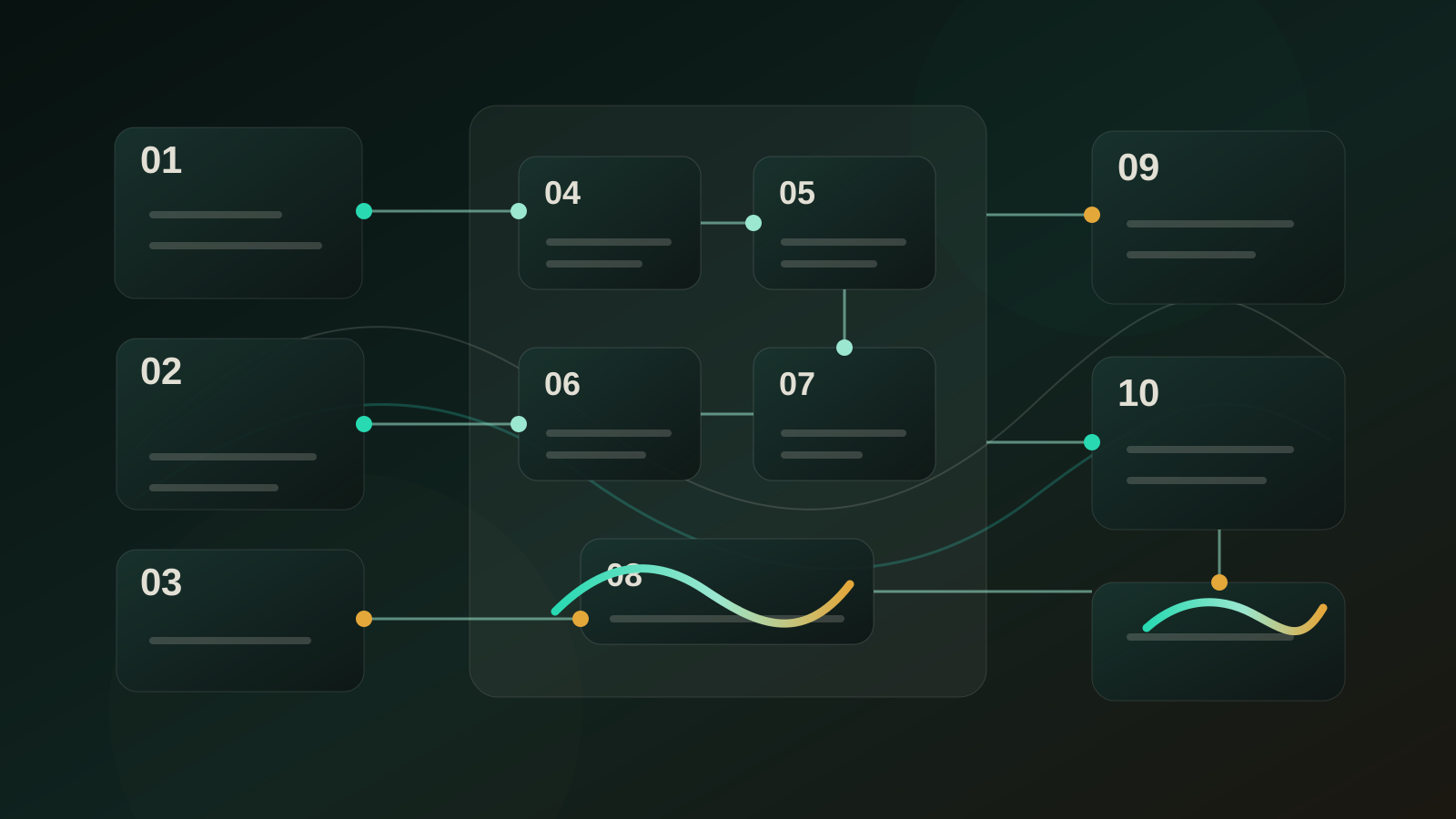
Workflow snapshot
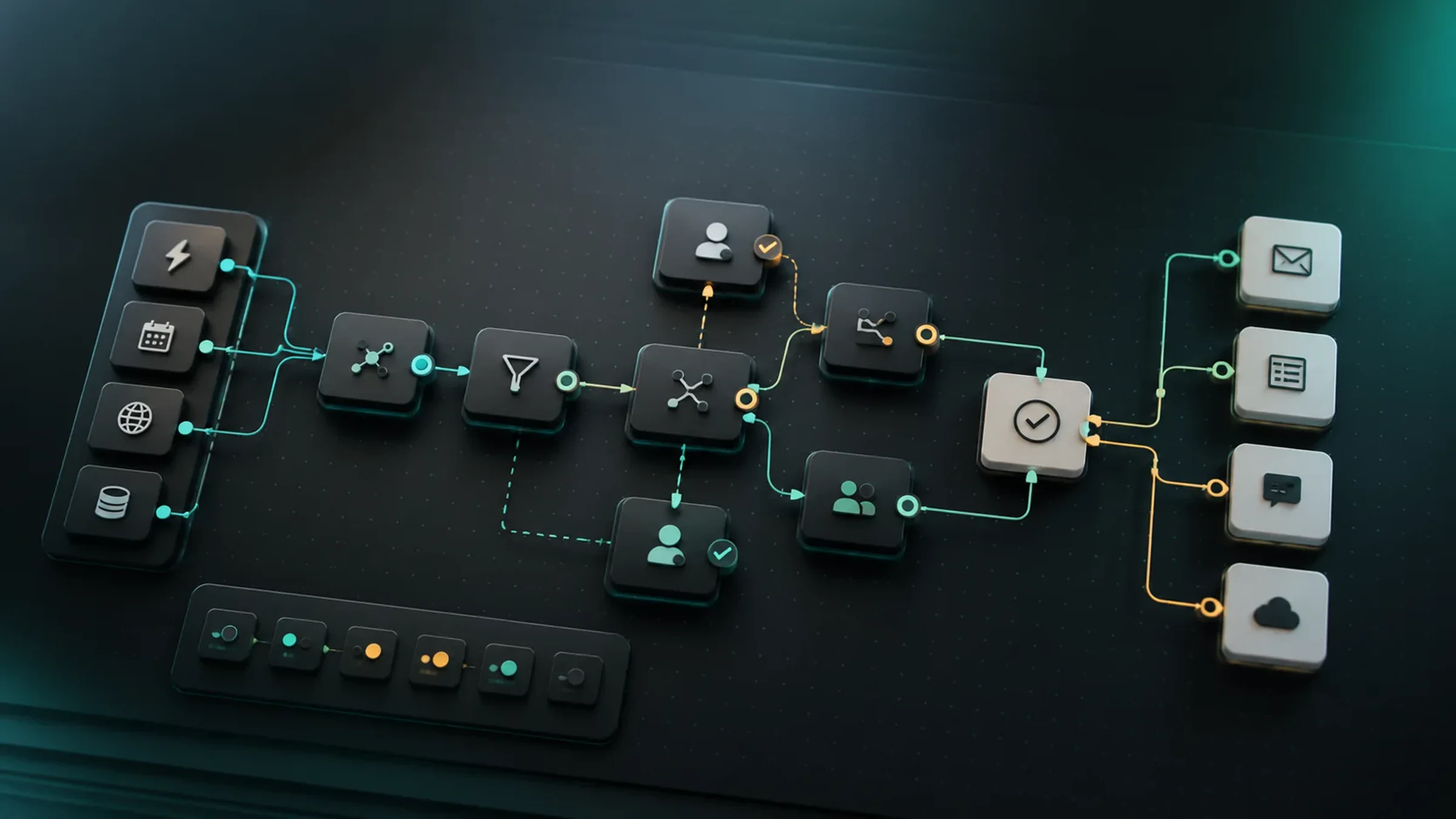
A practical map for turning this guide into an automation flow.
- 01 Input
Define the recurring job, required data, owner, and success check before adding automation.
- 02 AI pass
Use AI for drafting, sorting, summarizing, routing, or tool calls only where the workflow has clear boundaries.
- 03 Human check
Keep approvals, exceptions, cost limits, and sensitive decisions under human review.
- 04 Output
Turn the result into a checklist, saved prompt, SOP, or monitored automation run.
- AI agents
- AI automation
- automation ROI
- agentic workflows
- workflow operations
Implementation notes
Use the guide as a workflow decision, not a tool shortcut.
Before you automate, confirm the work input, the human review point, and the result you will measure after launch.
Which operating principle should guide the workflow?
Help automation teams decide whether an AI agent workflow is worth taking from pilot to production.
7 Sources checked
Check the linked source notes and product documentation before relying on claims that may change.
Open resources
Move from reading to one small pilot, then expand only after the review point is clear.
- ROI comes from a better operating workflow, not from adding an agent to an undefined process.
- The pilot must measure manual baseline, AI run cost, review effort, rework, cycle time, and exception rate.
- A workflow is not production-ready until ownership, logs, approvals, rollback, and monitoring are clear.
- Cost per run matters, but failure cost and review burden usually decide the real ROI.
Workflow path
Where this guide fits
Use this section to connect the guide you are reading with the broader workflow it supports.
A path for comparing automation platforms, app builders, agent builders, bookkeeping tools, and general AI assistants.
Open workflow path- Best fit
- teams deciding whether to buy a simple tool, build an internal workflow, or adopt a broader platform
- Not ideal if
- You need step-by-step setup instructions more than a decision framework.
AI agent automation sounds like an easy ROI story: give the agent a tool, remove manual work, save money. Real deployments are less tidy. Many pilots look impressive in a demo and then stall because nobody measured the baseline, review effort, exception handling, or maintenance burden.
The better question is not “Which agent is smartest?” It is “Which workflow can become cheaper, faster, more reliable, or more scalable after an agent is placed inside a controlled operating system?”
This playbook is for choosing AI agent automation projects that can survive the jump from pilot to production.
Quick Answer
Measure AI agent automation ROI at the workflow level. Start with one repeated process, write down the manual baseline, run the agent against real examples in a controlled pilot, count the cost of model calls, tools, human review, rework, and exception handling, then compare the result against cycle time, output quality, error rate, and capacity gained.
Do not publish a win because a demo worked. A workflow earns production status only when it has an owner, logs, approval rules, rollback paths, and a metric that keeps being watched after launch.
Why AI Agent ROI Gets Misread
The first mistake is measuring the agent instead of the work. A model can write a useful answer and still fail the workflow if the input is messy, the next system is not ready, or the reviewer spends more time cleaning up the output than they saved.
Recent industry research points in the same direction. McKinsey’s State of AI work keeps returning to the gap between experimenting with generative AI and redesigning workflows around it. Gartner’s agent forecast also points toward task-specific agents inside business applications, not one general agent doing everything.
That is the practical signal: ROI appears when the agent is attached to a clear task boundary.
The ROI Formula To Use
Use a simple formula before adding more sophistication:
| Line item | What to measure | Why it matters |
|---|---|---|
| Manual baseline | Time, labor cost, wait time, rework, error rate | You need a before state or every gain is a guess |
| Automation run cost | Model tokens, platform fees, tool calls, storage, monitoring | Cheap tests can become expensive at volume |
| Human review cost | Minutes spent checking, editing, approving, escalating | Review time often decides whether ROI is real |
| Failure cost | Bad handoffs, wrong classifications, duplicate records, delayed response | One expensive failure can erase many small wins |
| Speed value | Shorter response time, faster quote, faster triage, quicker reporting | Some workflows pay back through cycle time, not headcount |
| Quality value | Fewer misses, more consistent format, better source coverage | Quality gains matter when they reduce downstream cleanup |
The useful version is:
Net workflow value = manual cost avoided + speed value + quality value - AI run cost - review cost - failure handling - maintenance.
If you cannot estimate at least four of those items, the pilot is not ready to claim ROI.
Choose Workflows Where ROI Can Show Up
The best candidates are not necessarily the most exciting. They are repeated, bounded, evidence-rich, and painful enough to justify maintenance.
| Strong candidate | Weak candidate |
|---|---|
| Repeats every day or week | Happens rarely or unpredictably |
| Inputs arrive in a standard shape | Inputs are vague, emotional, or missing context |
| The correct output can be checked | Nobody agrees what “good” means |
| Errors are recoverable | A wrong action creates legal, financial, or trust damage |
| A person already owns the process | Responsibility is spread across departments |
| The next action is clear | The output just creates another messy discussion |
Good examples include support triage, meeting notes to tasks, document extraction review, proposal assembly, reporting drafts, lead qualification, and status updates. Riskier first projects include refunds, contract changes, legal advice, medical judgment, account deletion, or unsupervised customer notification.
Run A Baseline Before The Pilot
Before the agent touches production systems, collect a baseline from real work. Ten to twenty examples are enough for a first pass if they represent the normal range.
For each example, record:
| Baseline field | Example |
|---|---|
| Trigger | New support ticket, signed call transcript, uploaded invoice |
| Human steps | Read, classify, search policy, draft, approve, update CRM |
| Time spent | 14 minutes active work, 3 hours waiting |
| Rework | Missing field, wrong owner, unclear source, manual rewrite |
| Error risk | Wrong customer status, duplicate task, unsupported claim |
| Output format | Ticket label, task card, report section, CRM note |
This baseline prevents vague claims like “the agent saves time.” It shows exactly where time is lost and where automation can help.
Design The Pilot Like An Operating Test
The pilot should not be a free-form experiment. It should have a fixed workflow, sample set, approval rule, and scoring method.
| Pilot decision | Practical rule |
|---|---|
| Scope | One workflow, one trigger, one expected output |
| Sample | Real historical examples plus recent live examples in review mode |
| Permission | Read-only or draft-only unless the action is low risk |
| Human role | Reviewer approves, edits, or rejects each run |
| Score | Pass, edit, reject, escalate, retry |
| Stop condition | Stop if the same error repeats or if review time exceeds manual time |
If the agent cannot beat the manual baseline after the prompt, input template, and handoff format are improved, the workflow may not be a good candidate yet. That is useful information. Not every process should be automated first.
Count Review Burden Honestly
Review is not a minor footnote. It is part of the cost model.
An agent that drafts a reply in ten seconds is not valuable if the reviewer spends eight minutes checking sources, rewriting tone, and fixing missing fields. The win appears when the review becomes lighter than the manual task.
Use four review buckets:
| Review bucket | Production meaning |
|---|---|
| Accept | Output is good enough with no meaningful edit |
| Light edit | Reviewer fixes tone, minor formatting, or one small missing field |
| Heavy edit | Reviewer rewrites core reasoning or rebuilds the output |
| Reject | Output cannot be trusted or used |
For production, you want the accept and light-edit share to rise over time. If heavy edit and reject stay high, the agent may still be useful as a research assistant, but it is not a production automation.
Add Risk Controls Before Scaling
Agent automation ROI is fragile when the system can act without boundaries. The OpenAI Agents SDK and Microsoft’s agent design patterns both point toward structured agents with tools, handoffs, guardrails, and design choices around complexity. The operating lesson is straightforward: the agent should have the lowest useful authority, not maximum access.
Before scaling, define:
| Control | Minimum requirement |
|---|---|
| Permission boundary | What the agent may read, draft, create, update, send, export, or delete |
| Approval rule | Which actions require human approval before execution |
| Audit trail | Input, output, tool call, actor, time, and final decision |
| Rollback path | How to undo or correct a wrong action |
| Exception path | Where ambiguous or high-risk cases go |
| Monitoring | What metric shows drift, rework, failures, or queue buildup |
This is not bureaucracy. It protects the ROI case. A workflow that saves 200 small tasks but creates one costly customer or compliance incident may be a net loss.
Production Gate: Pass These Six Questions
Move from pilot to production only when you can answer yes to these questions.
| Gate | Question |
|---|---|
| Workflow fit | Is the trigger repeated, bounded, and worth maintaining? |
| Evidence | Do baseline and pilot results show a real gain after review cost? |
| Ownership | Is one person responsible for prompt, input, permissions, and exceptions? |
| Safety | Are high-risk actions blocked, approved, logged, or excluded? |
| Integration | Does the output land in the next system without creating hidden cleanup? |
| Measurement | Will the team keep watching cycle time, edits, rejects, failures, and volume? |
If any gate fails, keep the workflow as a pilot or redesign it. Production should mean “operated,” not “the demo was promising.”
Example: Inbox To Action Workflow
Consider a support inbox where each new message needs a label, urgency score, policy match, owner, and draft reply.
| Step | Manual baseline | Agent role | Production metric |
|---|---|---|---|
| Read ticket | Human reads full thread | Summarize issue and context | Summary accepted rate |
| Classify | Human chooses category | Suggest label and urgency | Label correction rate |
| Find policy | Human searches docs | Retrieve policy snippets | Source match accuracy |
| Draft reply | Human writes response | Draft reply with source notes | Light-edit share |
| Update system | Human assigns owner | Create task or route ticket after approval | Wrong-route rate |
This workflow can produce ROI because each step has an observable output. It also has clear risk boundaries: the agent may summarize, classify, retrieve, and draft; a person approves customer-facing replies and unusual cases.
30-60-90 Day Rollout
Use the first three months to learn whether the workflow deserves more autonomy.
| Period | What to do | Decision |
|---|---|---|
| Days 1-30 | Run review-mode pilot, tune input forms, log edit/reject reasons | Keep, redesign, or stop |
| Days 31-60 | Expand volume, standardize approvals, add monitoring and rollback | Move to controlled production only if review burden falls |
| Days 61-90 | Add adjacent workflow steps, automate low-risk actions, document owner routine | Scale only if metrics remain stable |
Do not expand because the pilot felt exciting. Expand because the data shows the workflow is becoming easier to operate.
Common ROI Traps
| Trap | Fix |
|---|---|
| Counting model speed but ignoring reviewer time | Measure total workflow time, not generation time |
| Starting with a broad agent | Start with one task-specific agent or one narrow workflow |
| Automating an undefined process | Standardize the input and decision rule first |
| Treating failures as rare edge cases | Log every reject and repeated correction |
| Giving the agent too much authority | Separate read, draft, update, send, export, and delete permissions |
| Stopping measurement after launch | Keep a monthly operating review |
The NIST AI Risk Management Framework is useful here because it treats risk as something to map, measure, manage, and govern over time. OWASP’s agentic application guidance is also relevant once agents can plan, use tools, and act across systems.
FAQ
What is a good first AI agent automation project?
Pick a repeated workflow with structured inputs, a clear owner, a checkable output, and recoverable mistakes. Support triage, meeting-to-task conversion, report drafts, document extraction review, and lead qualification are usually better first projects than refunds, legal changes, account deletion, or unsupervised customer messages.
How long should the pilot run?
Long enough to cover normal cases and common exceptions. For many workflows, 10 to 20 real examples can expose the obvious problems, but production decisions should use live review-mode runs as well.
Should ROI be measured by headcount reduction?
Usually no. Early ROI is often cycle time, consistency, capacity, fewer missed handoffs, and less repetitive review work. Headcount reduction is a fragile metric because it ignores quality, risk, and growth capacity.
When is an agent ready to act without approval?
Only after the action is low risk, logged, reversible, and repeatedly correct. High-risk actions such as refunds, customer notifications, legal claims, data exports, account changes, and deletions should remain approval-gated.
What if the pilot does not show ROI?
That is not failure. It may mean the input is messy, the workflow is not standardized, the review burden is too high, or the task is better handled by a simpler automation. Redesign the process before adding more agent autonomy.
Sources checked
Main public pages used to verify product details, pricing context, and comparison claims in this guide.
- McKinsey: The State of AI
- Gartner: task-specific AI agents in enterprise applications
- Capgemini Research Institute: AI and generative AI in business operations
- Microsoft Azure Architecture Center: AI agent design patterns
- OpenAI Agents SDK documentation
- NIST AI Risk Management Framework
- OWASP Top 10 for Agentic Applications 2026